A mission board your child checks on their own
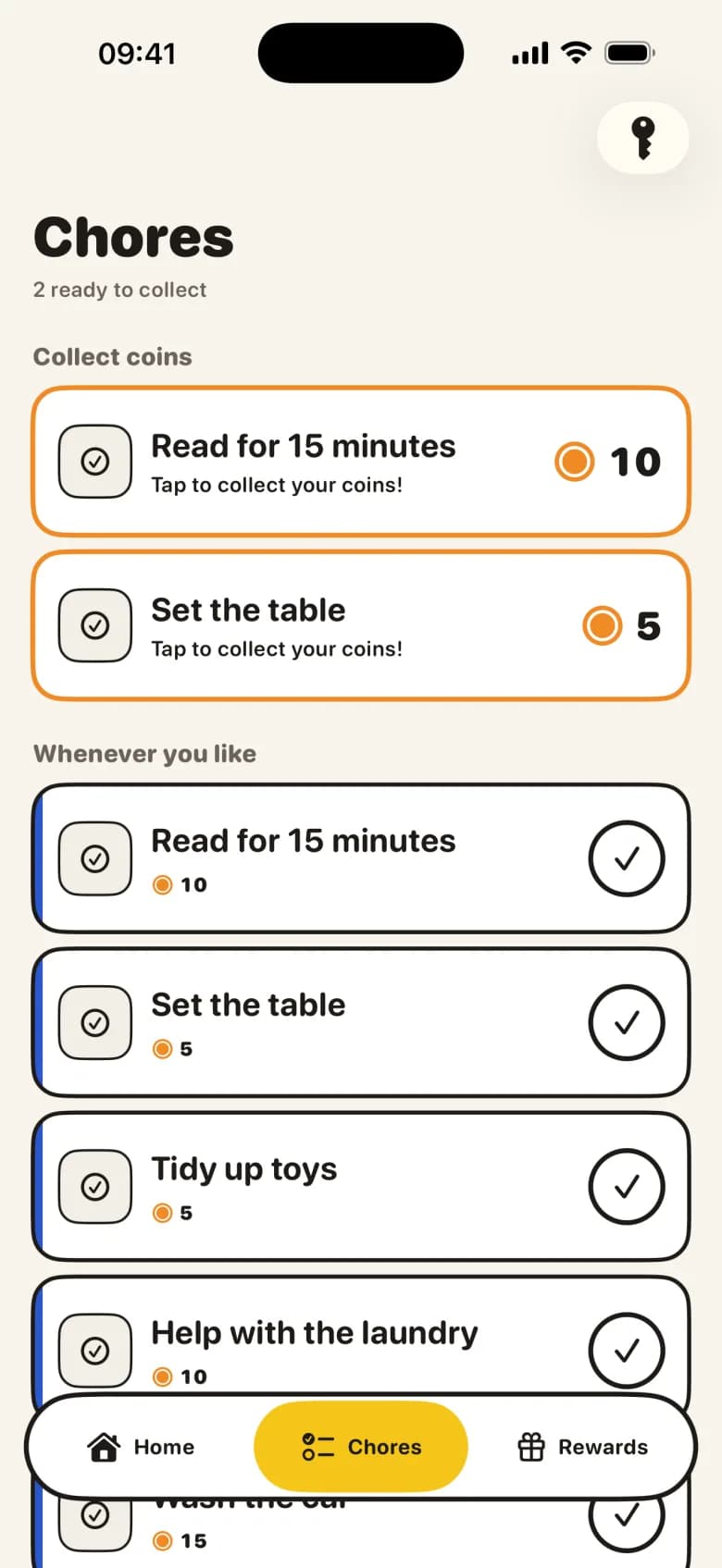
Your child's own iPhone or iPad shows a short mission board with what is waiting today. They tick a chore off, with a photo as proof if you ask for one on that chore. You stop repeating yourself.
Parental control for iPhone and iPad
Your child ticks a chore off on their mission board, with a photo as proof if you like. You approve with one tap. The minutes they earn open the apps you chose, then lock them again, so the app says stop instead of you.
Get KlusQuest on the App Store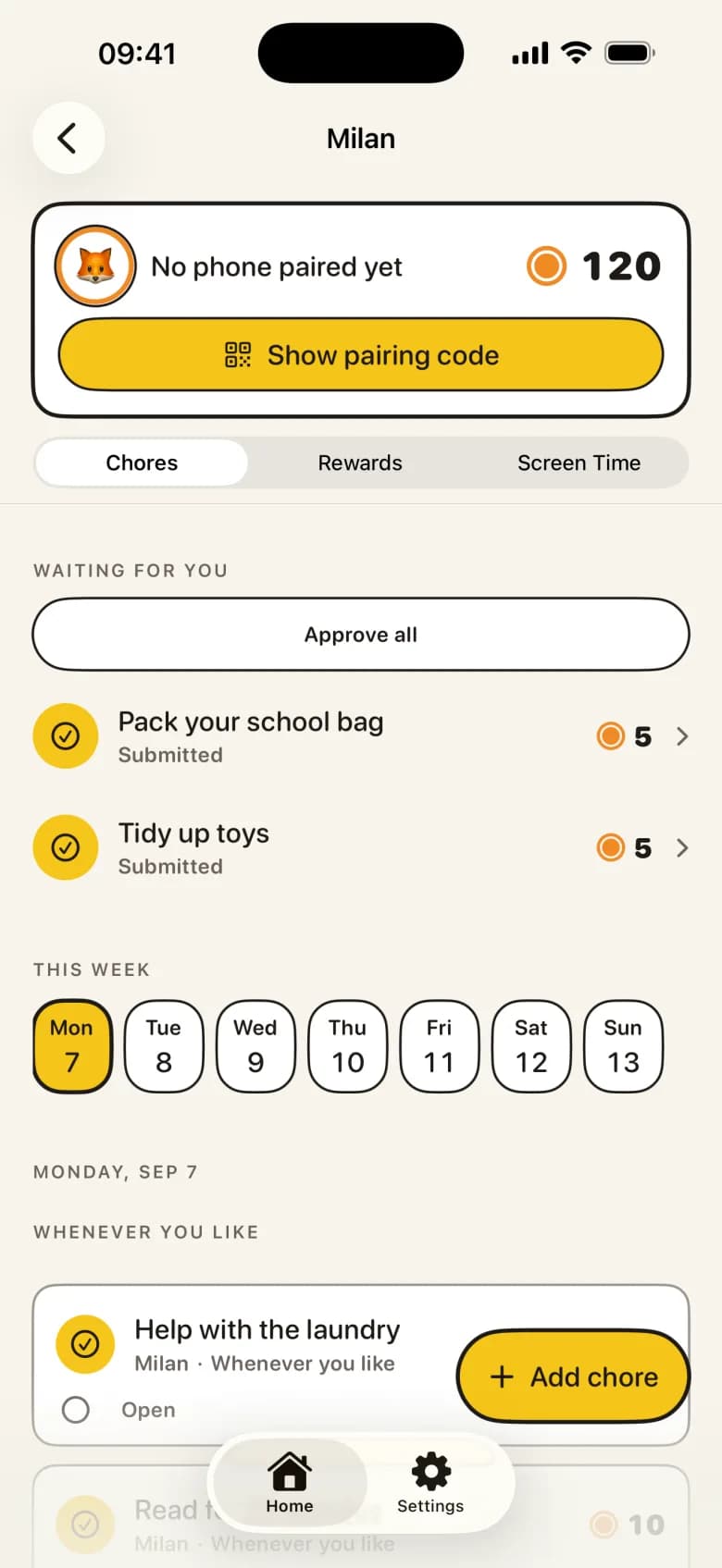
One clear deal instead of 'five more minutes' every evening.
Your child's own iPhone or iPad shows a short mission board with what is waiting today. They tick a chore off, with a photo as proof if you ask for one on that chore. You stop repeating yourself.
Submitted chores wait for you under 'Waiting for you'. One tap approves, or you send it back with a tip. Nothing approves itself, and the screen time your child earned is theirs the moment you say yes.
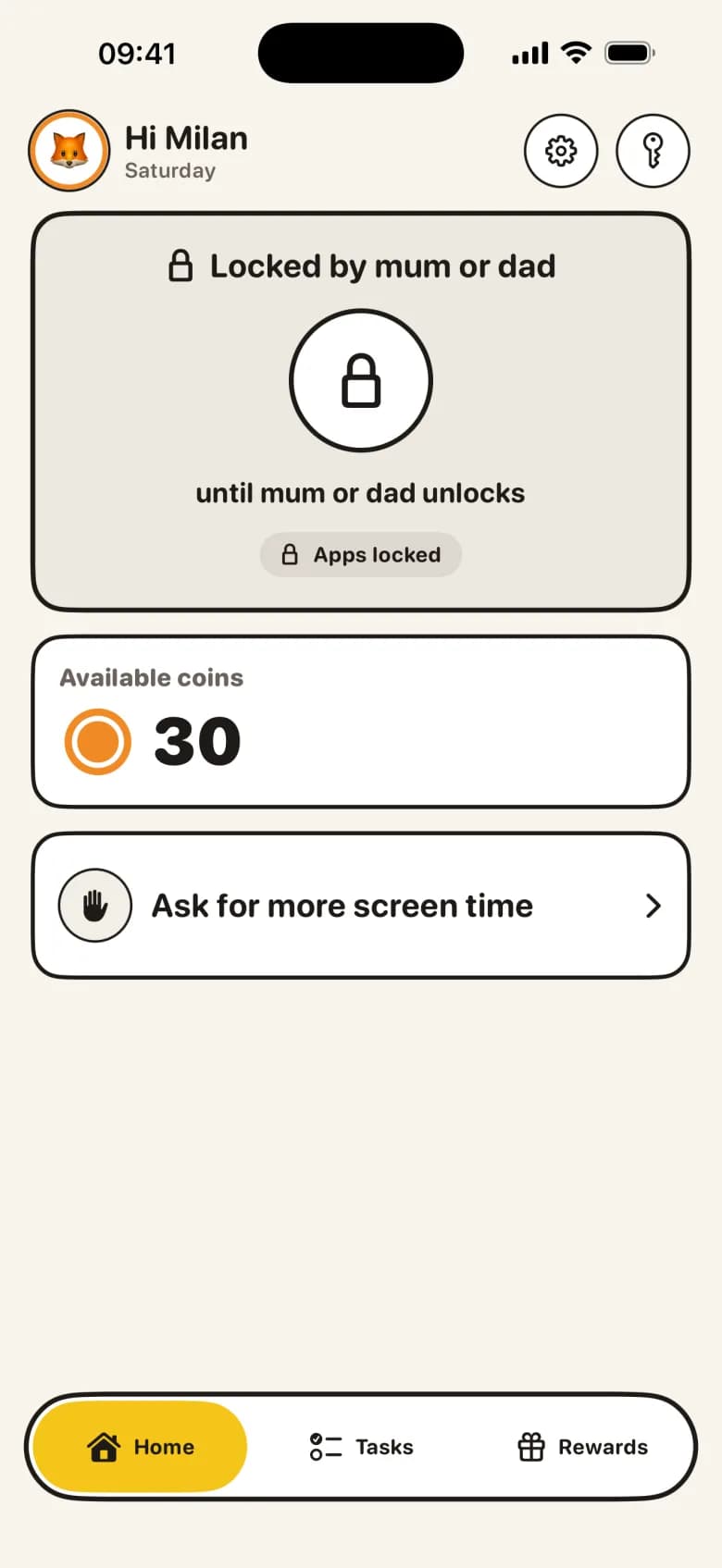
Through Apple's Screen Time, earned minutes open the apps you choose, then lock them again. Each day starts with the daily minutes you set. During locked hours, such as school, bedtime and dinner, those apps stay locked. If your child wants more, they can ask.
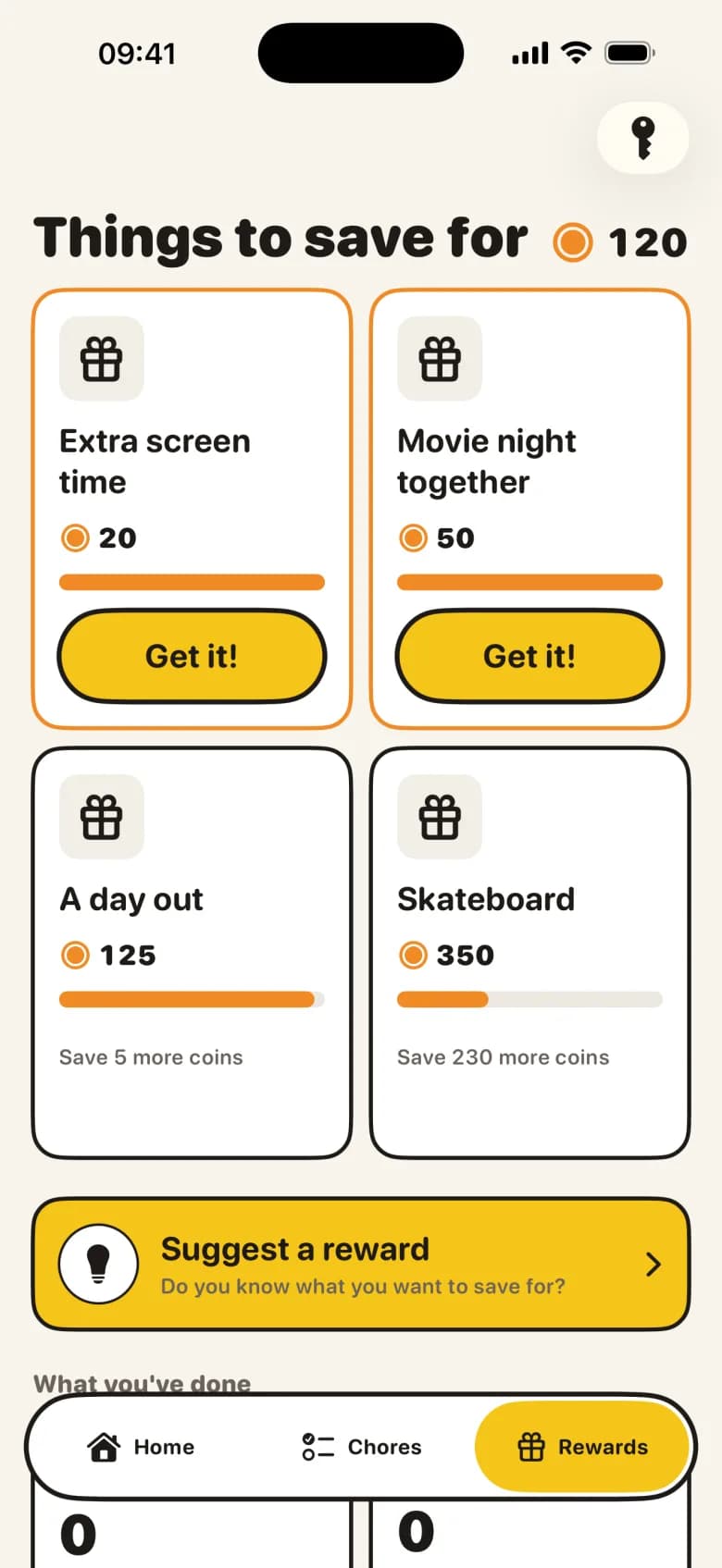
Approved missions earn screen time in the apps you choose. Or your child saves up for a real-life promise: a movie together, an ice cream, a day out. Your child can suggest a reward too; you decide.
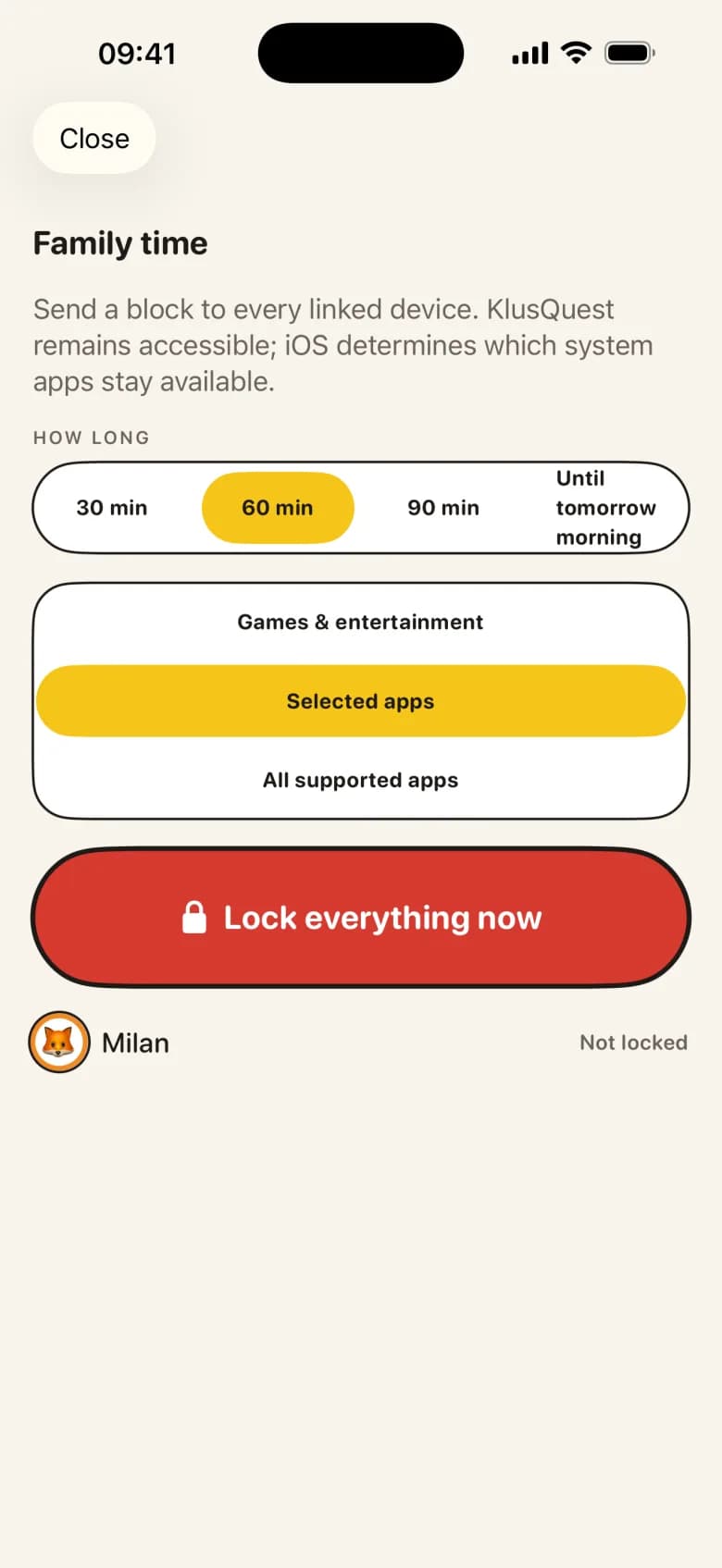
Dinner, a walk, a board game: one tap locks every linked device for 30, 60 or 90 minutes, or until tomorrow morning. You choose games and entertainment, the apps you selected, or all supported apps.
Then everything works as a voucher. Earned minutes become credit you manage yourself, and the app does not lock anything.
Your child's device, yours and your co-parent's stay in sync. You link a co-parent with a code. When a mission is waiting, send a gentle nudge at a moment you choose.
Separate screens for parent and child. No ads, no loot boxes and no punishment for a missed day: an undone chore simply expires. No bank linking. Proof photos are kept only while a chore is waiting for review.
KlusQuest locks and unlocks apps through Apple's Screen Time, on your child's own device. With a Child Account in your Family Sharing group, you give Screen Time permission on that device. It also works with an ordinary Apple Account, but then your child can delete the app.
Running iOS 17.4 or later. The lock works on the device being locked.
That lets you manage your child's Screen Time from your own iPhone, and keeps the app on your child's device.
With a second device you approve from your own phone. One shared device works too, with the parent area behind a PIN.
No. KlusQuest is for iPhone and iPad only, on iOS 17.4 or later, because the lock works through Apple's Screen Time.
Nothing happens. An undone chore expires; nothing is taken away and a missed day is never punished.
You, or your co-parent. Nothing approves itself: the screen time is your child's only after you say yes.
Yes. You link a co-parent with a code; they get the same parent view, and every device stays in sync.
Their own mission board with today's chores, their coins and rewards, and whether their apps are open or locked. The parent area sits behind a PIN.
Age-appropriate chores for kids from 2 to 18, from the American Academy of Pediatrics and Raising Children Network, with a printable weekly chart.
From mission to screen time: what your child sees, what you see, how approval works and what the app cannot do. Shown with real screens from the app.
Screen time guidelines by age from the WHO, the American Academy of Pediatrics (2026) and official bodies in Europe, with sources and dates.
Turn off Screen Time, remove a time limit or set it up again from your own iPhone with Family Sharing: Apple's steps for iOS 27 and iOS 26.
Two kinds of chore reward for a family chore chart: screen time in apps you choose, or a real-life promise like a movie night. No penalty for a missed day.
KlusQuest is made by NETKREATIVES BV, a small company in Dendermonde, Belgium. The app is available in 16 languages, for families with children aged 7 to 18.
Questions, or spotted something on this site that is wrong? Email support@klusquest.com. We usually reply within one working day and correct mistakes.
For iPhone and iPad, in 16 languages.
Get KlusQuest on the App Store